
Intro
I usually use the paid version of ChatGPT’s image generator, but we wanted to dive deeper into FREE Image Generative AI on PC Without a GPU for our research on AI tools that run locally.
Even though the free plan of ChatGPT’s image feature allows only three images at once, we wanted to find a way to generate unlimited images, for free, and without relying on GPUs or cloud services.
After exploring several tools, we discovered something truly impressive — FastSD CPU.
GitHub: https://github.com/rupeshs/fastsdcpu
What Is FastSD CPU?
FastSD CPU is a custom build of Stable Diffusion designed to run entirely on CPU, no graphics card required.
Typically, generating AI art without a GPU is painfully slow 🐢 — but FastSD CPU uses optimized AI techniques to speed up the process significantly.
It’s built on Latent Consistency Models (LCM) and Adversarial Diffusion Distillation (ADD), which make the model more efficient and much faster during inference.
Even better, it supports OpenVINO, Intel’s performance-boosting framework for AI on CPUs, giving your PC a noticeable speed advantage.
How to Install and Run FREE Image Generative AI on PC Without a GPU ?
Here’s how you can get started in just a few steps:
Install Python 3.10, 3.11 or 3.12
Make sure your system has one of these versions installed.
Clone or download the repository
https://github.com/rupeshs/fastsdcpu
Run the application
To use the desktop GUI, run start.bat
To use the web version, run start-webui.bat
That’s it! You can now generate images locally on your PC — no GPU required. 🚀
Sample Image Outputs - size 512 X 512
To test the tool, I tried a few prompts:
Prompt: “people chasing a water melon” → produced a spooky, creative portrait

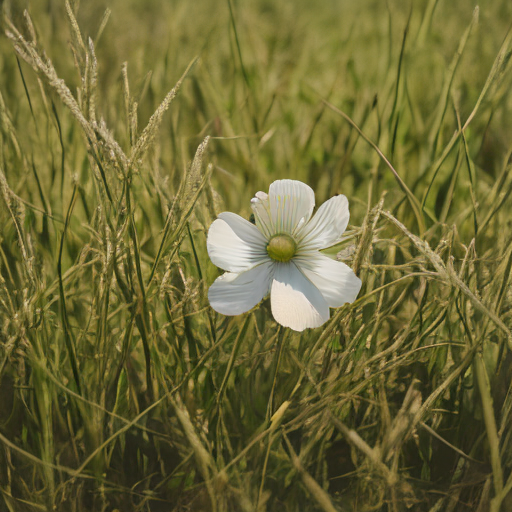
Prompt: “water melon” → generated a dreamlike, artistic image

Even though it was entirely CPU-based, FastSD CPU performed surprisingly fast and smoothly for local generation.
Improving AI Image Quality
Inside the Settings tab, you can experiment with models and settings for higher-quality outputs.
Recommended setup:
- Model: LCM-dreamshaper-v7-openvino
- Inference Steps: 4
Increasing the steps helps remove noise and refine details.
For even better results, try using FLUX.1-schnell-openvino-int4, which delivers sharper and more detailed images — though it may take longer to generate.

Performance & Test System
Test PC Specs:
CPU: Intel Core i7
RAM: 16 GB / 40 GB
GPU: None
Result for the 16GB RAM using Intel Core i7
- LCM-dreamshaper-v7-openvino (4 steps) → ~20 seconds per image
- FLUX.1-schnell-openvino-int4 (4 steps) → ~10 minutes per image
Result for the 40GB RAM using Intel Core i7
- LCM-dreamshaper-v7-openvino (4 steps) → ~9 - 14 seconds per image
- FLUX.1-schnell-openvino-int4 (4 steps) → ~4 minutes per image
Note: The first time you use a model, it takes longer because it needs to download and compile.
using : CM-dreamshaper-v7-openvino - without Generation Settings adjustments

using : CM-dreamshaper-v7-openvino - with Generation Settings adjustments

using : FLUX.1-schnell-openvino-int4

Conclusion
With FastSD CPU, you can now generate AI images locally, for free, and without a GPU.
the higher the ram the better results you get! and it’s ideal for researchers, students, and AI creators exploring image generation without the cost of high-end hardware.
If you’ve been looking for a free alternative to paid AI image tools, this project is definitely worth exploring.
Thanks for reading — and happy AI image generating!